Plots: rewards you can see and hear
A reward in Plots used to be little more than a line of text: you bought a sword, and it just sat somewhere in your bag. We went through the whole mode and redid everything the game rewards you with. Now you can see and hear a reward, and a button tells you what to do next.
Rewards as tiles
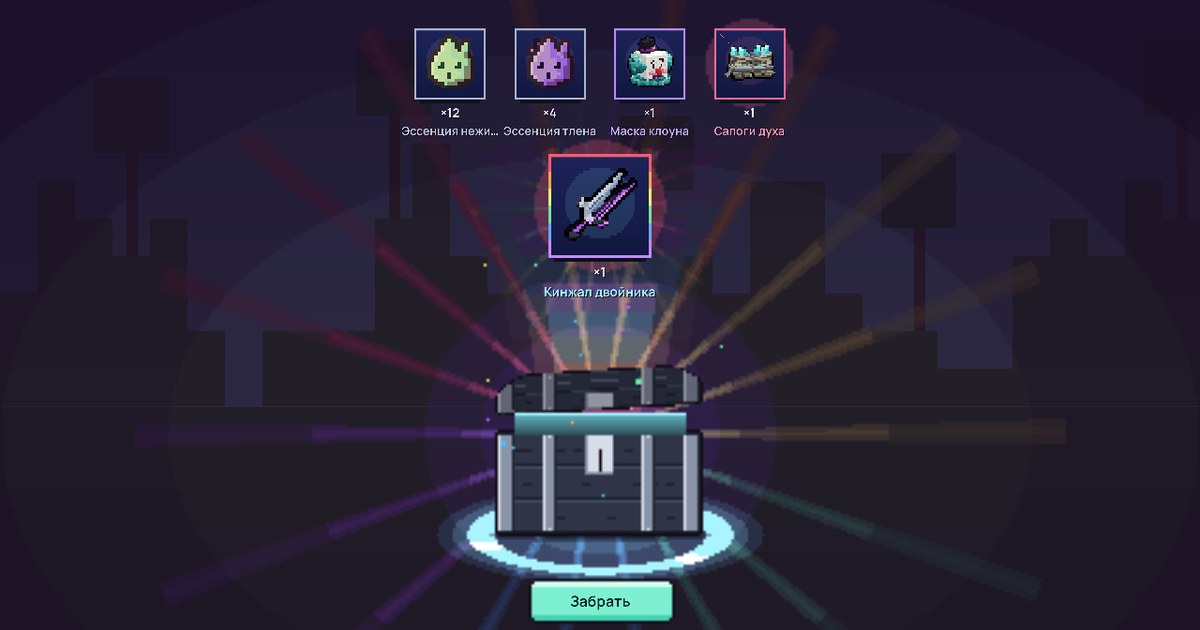
Reward windows are now pictures. Every item, currency, coin amount or bit of XP is a tile with an icon and a number. The tiles appear one at a time, and the frame shows the item's rarity by color, from common to legendary. Epic and legendary items also get a soft glow. If there are lots of tiles, they wrap onto the next line instead of getting cut off.
This is how rewards now look for trading souls, the Overseer's gift, the mine gates, the Deep Grottoes pass, the Mine King's tasks, mine events, Homestead visitors, compost, your first pest, the end of an Undercroft run and the Undercroft chests. The Crossroads Bonfire reward uses tiles too: crates, loot in rarity colors, and if you didn't score enough for the first crate, a “points / 500” bar.
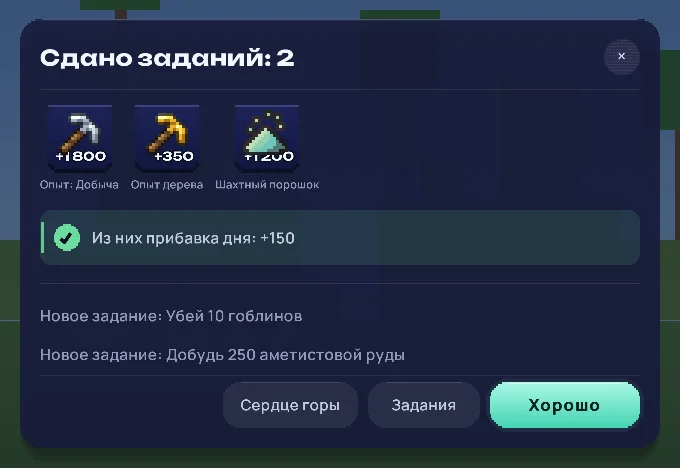
“What next” buttons
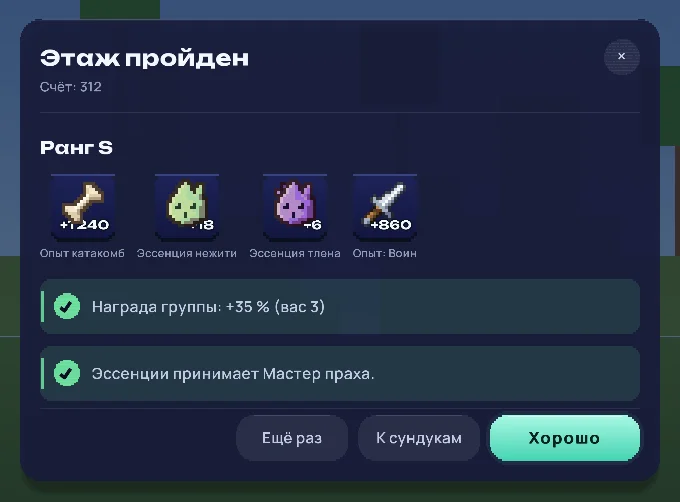
Under a reward there are now buttons that take you straight to the next thing. After the Mine King's tasks, you get Rockcore and Tasks. After an Undercroft run, you get Run again, to queue for the same floor, and To the coffers, if you cleared a floor with chests. The run's rank is written in large letters, with your score under the title.
The starter steps now say why each step matters, and the Show the way button sets a waypoint to the next one.
A full-screen chest
Undercroft chests and Deep Grottoes caches now open in a scene of their own. The chest drops in and rocks, and the gap under the lid glows in the color of the rarest item inside, before it even opens. Then the lock clicks, rays and a flash burst out, and the items fly out one at a time, each with its own chime. The rarest one comes out last and bigger than the rest. At the end you see everything you got.
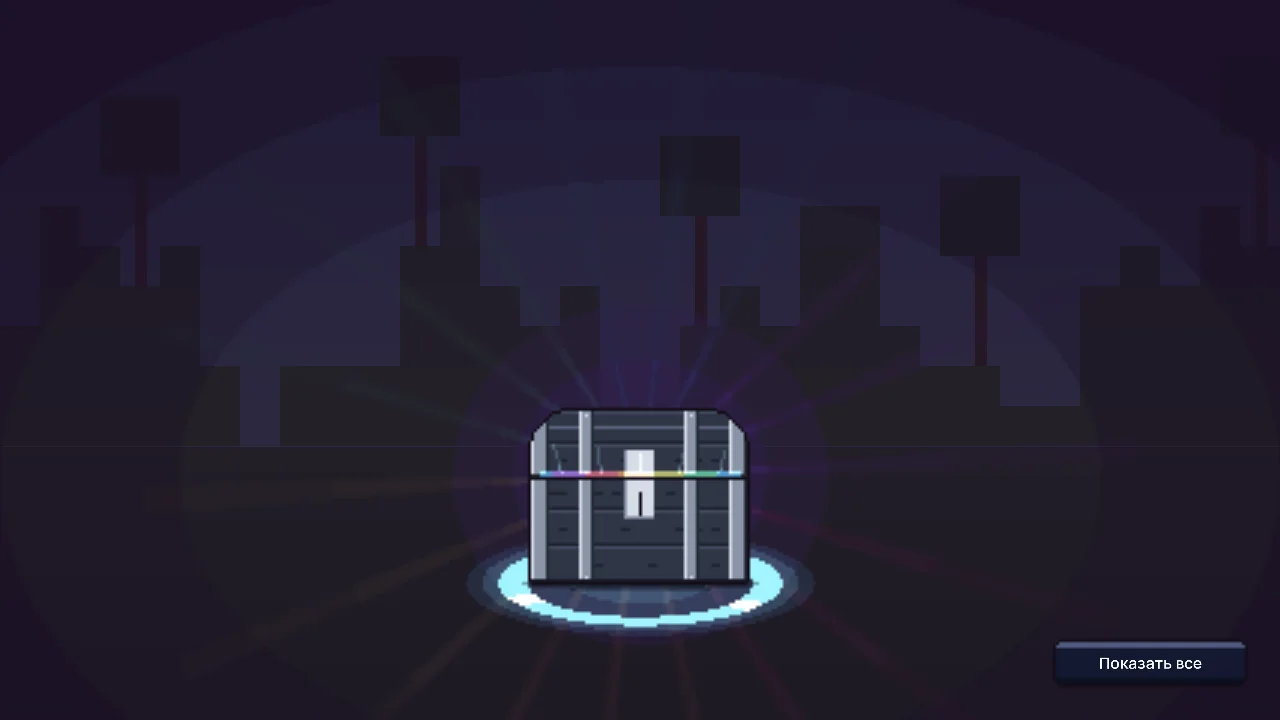
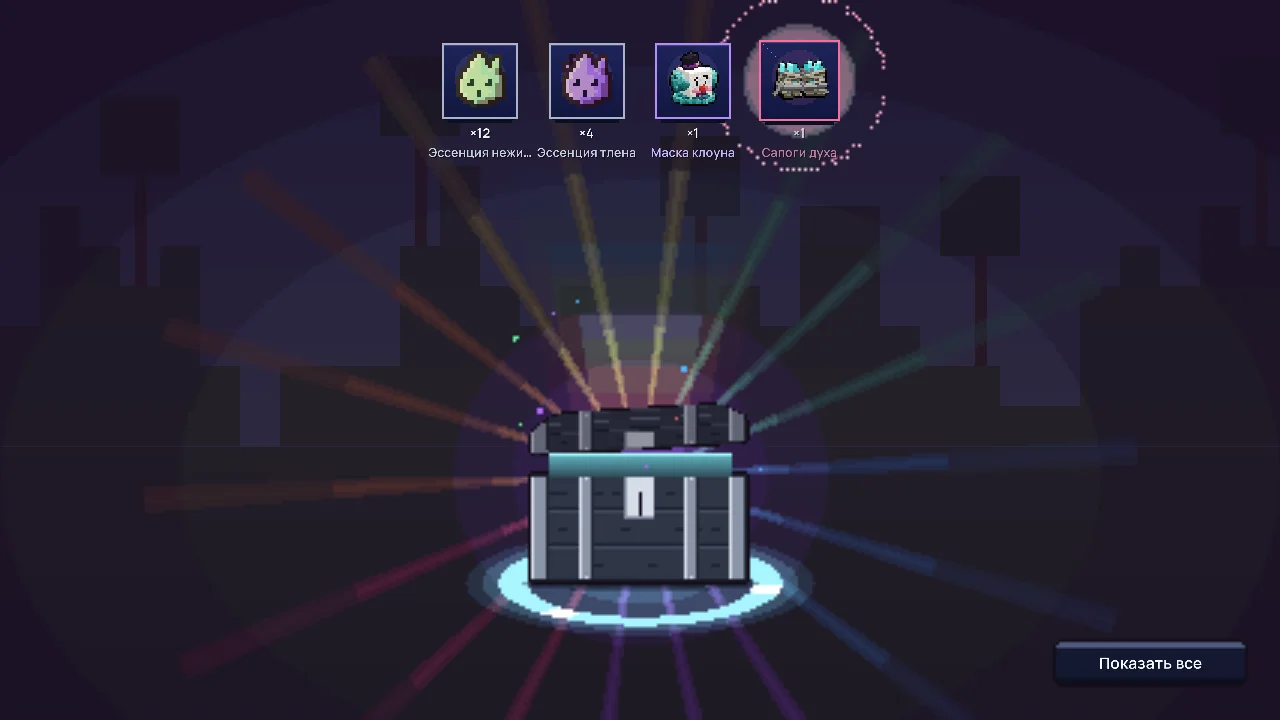
Don't want to wait? Press Show all or Esc and everything flies out at once. The items land in your bag before the scene even starts, so nothing is lost, even if you close the game.
Sound
Game sounds are on in Plots. If you turned them off in the settings, your choice wins. Windows now have a voice of their own: a reward answers with a soft chime, and a shop with the sound of a chest opening.
Growth, finds and coins
- A new level is celebrated the moment it happens: a Level up or New tier card appears on the right, the level-up sound plays, a ring of golden sparks bursts at your feet, and the screen briefly brightens. This covers skills, player level, collections, Rockcore, the Homestead, the Undercroft and your class.
- A rare find: a column of fireworks rises where you found it, a chime plays, a Rare find! card with the item appears on the right for 6 seconds, and the screen jolts and flashes in the item's rarity color.
- A goblin jackpot: the clicks climb higher and higher, a fountain bursts where the goblin fell, and the screen shakes harder than for a rare find.
- Rank S and S+ in the Undercroft get a flash.
- Coins fly to you from wherever you earned them, with a chime. The bigger the amount, the higher the chime and the bigger the number.
- Damage numbers: the bigger the share of an enemy's health you knock off, the bigger the number, and a critical hit is one size bigger still.
- XP no longer spams a line for every block: the line comes at most once every 3 seconds, with the total and what it was for.
- Sparks fly when you break a resource.
Screen shake
At the biggest moments the screen jolts. If that bothers you, turn off Screen shake in the settings, on the Picture tab. The flashes stay.
A new place
A second and a half after you enter a zone, its name appears large on the screen. The first time you get there in a season, it says New place under the name, a chime plays and sparks burst around you. After that the title is quiet and short, shows up at most once a minute, and one line under the name says what people do there. In the Undercroft, the floor title shows instead.
Cards instead of bare lines
Messages that used to be a single line are now cards on the right with a button. If the right master is nearby, Open opens their window, and if they're far away, Show the way sets a waypoint. This covers forge and market messages, your place on the season board (when it goes up), a new season with a Hall button, and the card after you die: it reminds you that coins in the Moneychanger's bank aren't lost and shows you the way to him.
Buy it and use it right away
After you buy something in a shop, craft it at the workbench or press Claim at the forge, a To hand button appears for weapons and tools, or Put on for armor. The item goes straight into the selected hotbar slot or onto you, and whatever you were wearing goes to your bag. You hear it arrive, and sparks burst above you.