New main menu: pick a mode and play
We've remade the main menu. Now you choose your mode right there: you can see how many people are playing, when the last wipe was and what's new. Here's what changed.
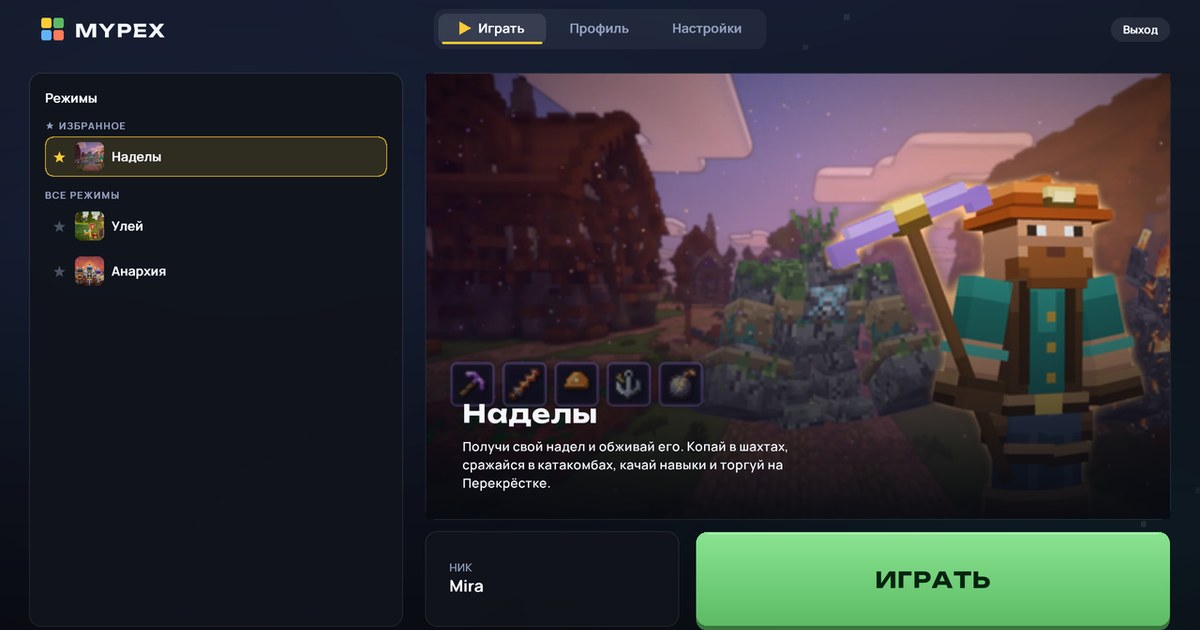
Modes on the Play tab
On the left is the list of modes. Each one shows how many players are in it right now, and above the list you see how many people are playing in total.
Under the name of each mode there's a short line: "New mode", "Wiped 3 days ago" or "Wipe soon · in 2 days". If a mode is about to open, it says "Opening soon": you can already see that mode in the list, but you can't enter it yet.
On the right is the selected mode: a big picture and a short description. If the mode has news, a News line appears under the description, where we post the main thing.
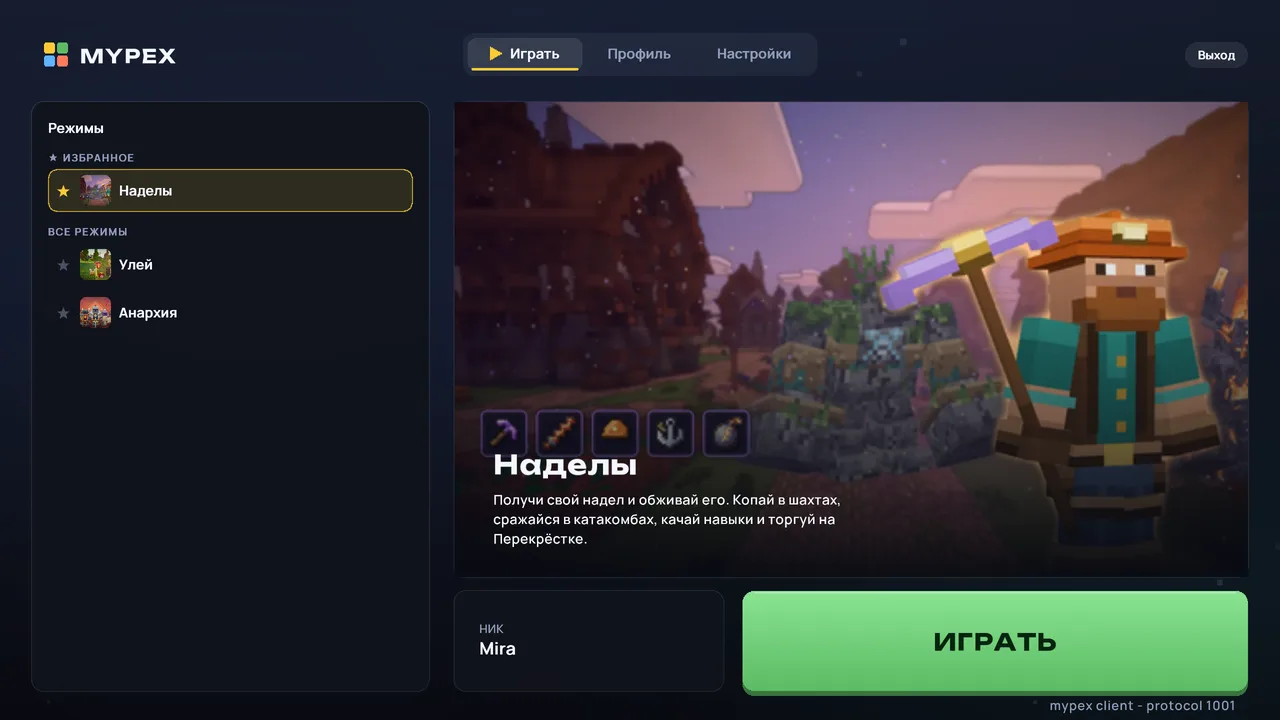
Straight into the mode
Pick a mode in the list and press Play, and the game takes you right into it, with no card window in between.
You can mark the modes you play most with a star: tap ★ next to a mode and it moves to the top, into the ★ Favorites group. The other modes are below, under All modes.
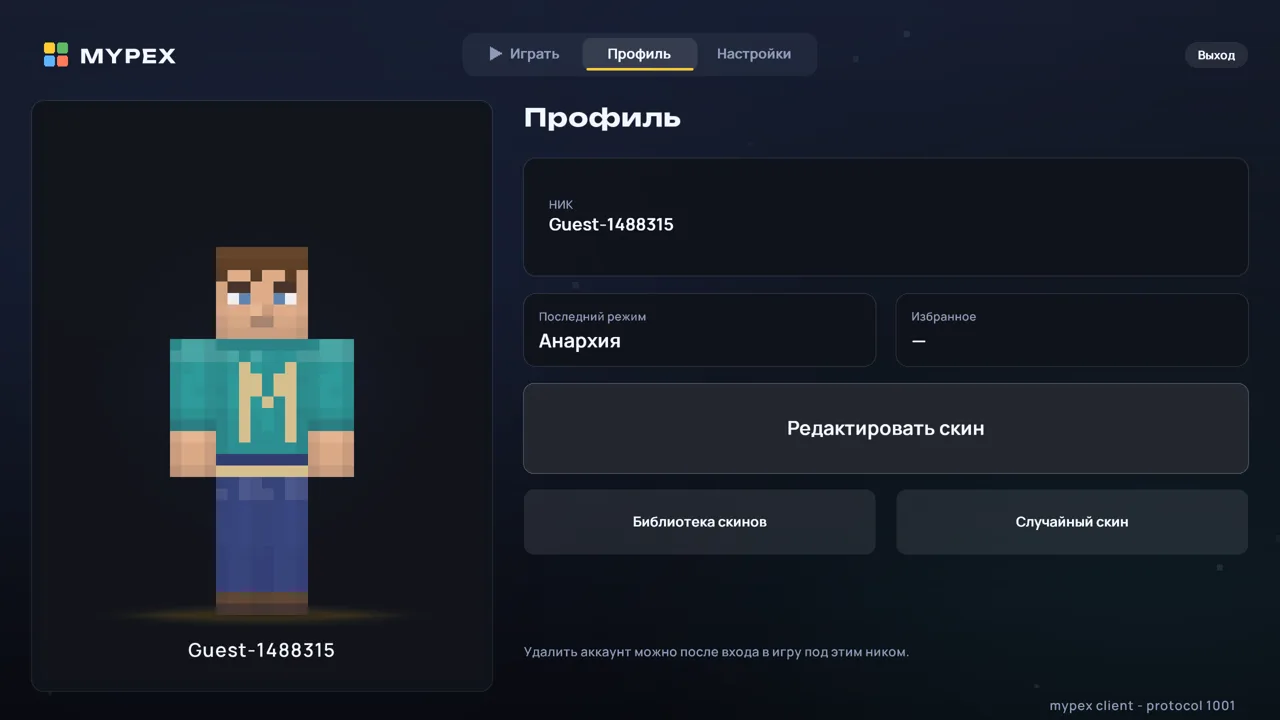
Profile
The Profile tab shows your character, your nick and two tiles: Last mode, the one you entered last time, and Favorites, the modes you've starred. You can change your skin here too.
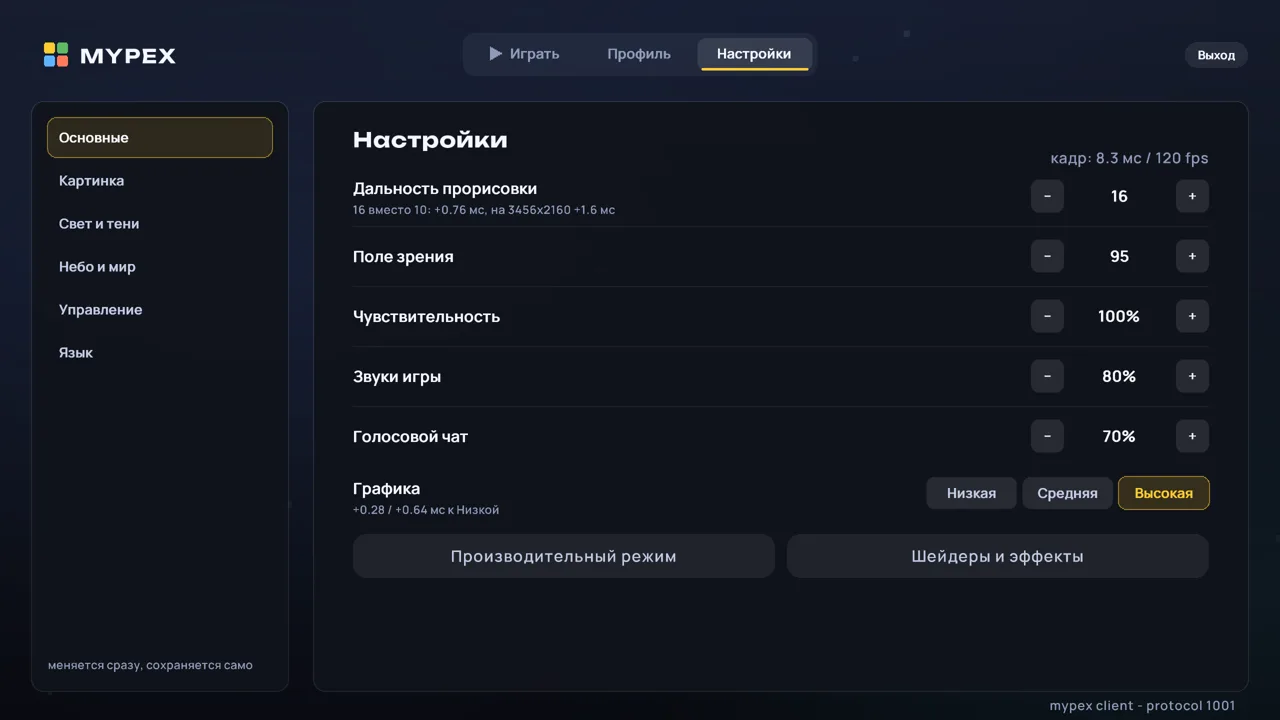
Settings
On a large screen, Settings are split into sections in a column on the left: General, Picture, Light and shadows, Sky and world, Controls and Language.
In the main menu you now choose graphics with one of three buttons: Low, Medium or High.
New loading screen
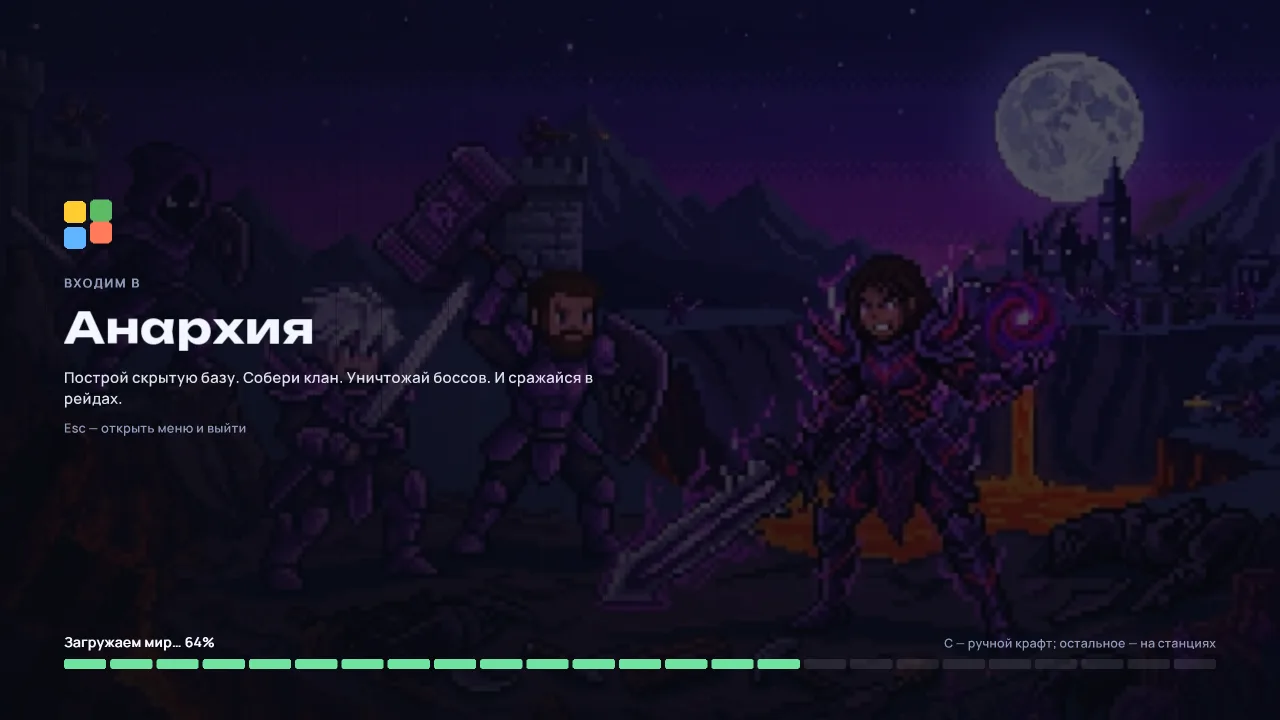
While the world loads, the picture of the mode you're entering fills the screen, with its name and description. At the bottom you see what's loading and what percentage is done, with a tip next to it.
On your phone
The menu is also comfortable on a phone held upright: the screen splits into two parts, and you scroll the list of modes with your finger.